
Pine Script® IDE for VS Code
Step through it bar by bar
Write Pine Script or Pyne, run it on a real chart and step through it bar by bar in a debugger.
1,353/1,353 outputs from 1,000 TradingView scripts match. See the proof
Write It, Run It, Debug It
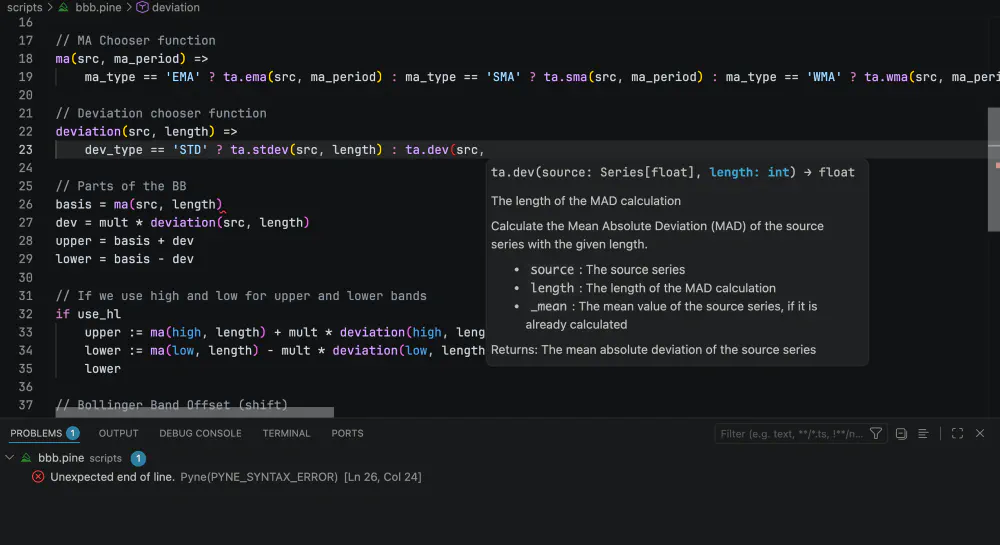
PyneIDE is a free extension for VS Code. It works on your own files, runs your scripts locally on the open-source PyneCore runtime, and has no automatic telemetry.
Free for Pyne code, no account needed
Compiling Pine Script needs a PyneSys API key from one of the plans. The Pine Script to Python converter page shows how the compiler works.
Proof, Not Promises
Don't take our word for it. Pyne in the Wild takes the most popular open-source Pine Script indicators and strategies published on TradingView, compiles each one to Python, and runs it with PyneCore. Wherever TradingView's output can be exported, every plotted value and every trade is compared against it — bar by bar, bit by bit.
The remaining 0.229% of bars? Within 1e-9 relative tolerance — last-digit floating-point rounding, documented per script, because “close enough” deserves a number too. Every result is reproducible: the corpus pins the exact source of each script with a SHA-256 hash.
Browse the Full ReportScript-by-script results at wild.pynesys.io · snapshot 2026-10-24 · the corpus keeps growing
502 indicators, 498 strategies
1,000/1,000, zero failures
bit-exact vs TradingView
across 353,577 compared trades
Pricing Plans
Pyne code is free. The plans pay for compiling Pine Script, in PyneIDE, from the CLI or through the API.
Write, run and debug Pyne code in PyneIDE on your own machine, on the open-source PyneCore runtime. No account and no API key.
Install PyneIDEBring your Pine over
Convert a few scripts, then keep working on the Pyne code for free.
Seed
For bringing one or two Pine indicators over to Pyne. Convert them here and keep working on the Pyne code in PyneIDE, where running and debugging it is free.
- 5 script conversions per day
- 1 script conversion per hour
- Failed conversions don't count toward your limits
- 1 API key
Sprout
For converting Pine scripts regularly. Each conversion gives you Pyne code that you can edit, run and debug in PyneIDE for free.
- 30 script conversions per day
- 5 script conversions per hour
- Failed conversions don't count toward your limits
- 2 API keys
Keep developing in Pine
For running and debugging Pine Script in PyneIDE every day.
Grower
For writing Pine Script every day in PyneIDE. The IDE recompiles your script each time you run it after an edit, so this plan allows 60 compiles an hour.
- 700 script conversions per week
- 60 script conversions per hour
- Failed conversions don't count toward your limits
- 5 API keys
Forest
For staying with Pine Script and using PyneIDE all day. Your scripts stay in Pine, so you get the IDE's debugger and live chart and can keep working on TradingView too.
- 2,100 script conversions per week
- 120 script conversions per hour
- Failed conversions don't count toward your limits
- 10 API keys
Plan Comparison
| Seed | Sprout | Grower | Forest | |
|---|---|---|---|---|
| Price | $8 | $18 | $28 | $48 |
| Pine compiles | 5 per day | 30 per day | 700 per week | 2100 per week |
| Pine compiles per hour | 1 | 5 | 60 | 120 |
| API Keys | 1 | 2 | 5 | 10 |
| Max Script Size | 25 KB | 50 KB | 150 KB | 300 KB |
- Each run of a changed
.pinefile is one compile. Unchanged scripts come from the cache and don't count. - Converting a Pine v4 or v5 script to v6 doesn't use your quota.
- The generated Pyne code is yours to read, edit and keep.
Most scripts convert 1:1 and run as-is. When one doesn't, the generated Python is readable, so a small manual edit usually gets it working. See the FAQ and the PyneCore Compatibility page for details.
Platform integration or commercial licensing? Get in touch →
Join Our Community
Connect with other traders, developers, and the PyneSys team.


Frequently Asked Questions
No. Keep charting and publishing on TradingView, and develop your scripts in PyneIDE. There they are files in your own git repository, and you can step through them bar by bar in a debugger, which TradingView doesn't have.
Yes for Pyne code: writing, running and debugging it needs no account and no API key. Pine Script files are compiled by the PyneSys cloud compiler, which needs an API key from one of the plans. Unchanged scripts come from the cache and don't use your quota, and neither does converting a v4 or v5 script to v6.
Yes. Pyne is its own language for indicators and strategies, and every Pyne file is a Python file that runs on standard CPython 3.11 or newer, so you can import any Python library. PyneCore adds Pine's bar-by-bar semantics when the file is imported; What PyneCore does to your Python explains how.
For PyneIDE, only VS Code and the extension. PyneIDE downloads its own Python and the PyneCore runtime the first time you need them, so you don't need a system Python.
Without the IDE, you can use the compiler through the web app, the PyneCore CLI or the HTTP API. The CLI calls the API and only converts a script that isn't in the cache yet.